 Fantasy Gems
Installing Fantasy Gems without an APK
Fantasy Gems is a web app. There is no APK, no Play Store listing and no emulator needed. Here is the real install on each device, and why the file some sites offer is one you should avoid.
Android
- Open Fantasy Gems in Chrome.
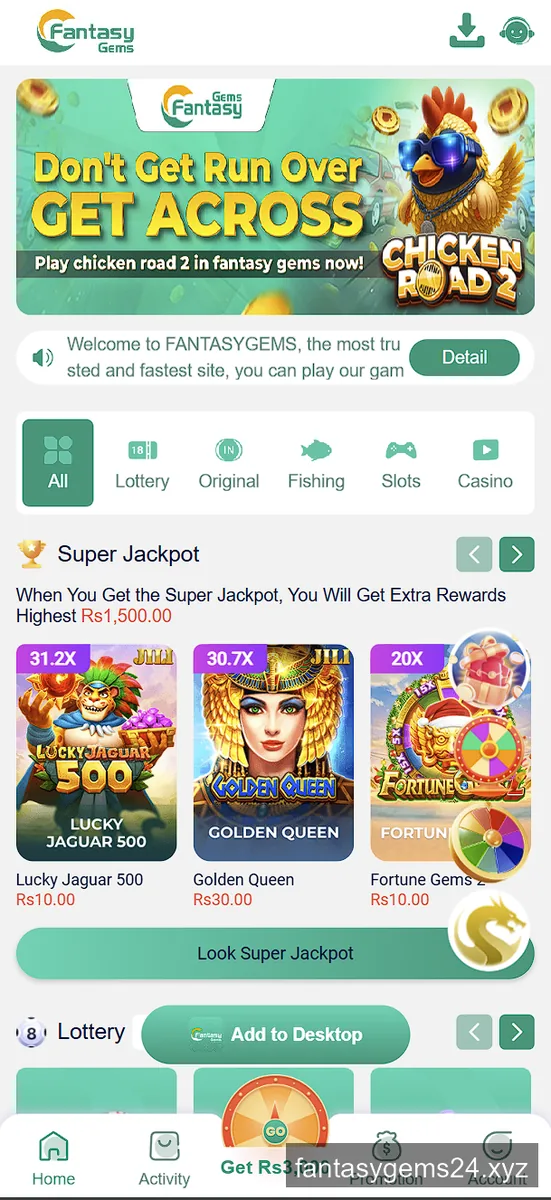
- Tap Add to Desktop in the lobby, or Chrome’s menu → Install app / Add to Home screen.
- Confirm. An icon appears on your home screen and opens full-screen, with no address bar.
Nothing is downloaded to storage, no unknown-sources permission is needed, and Play Protect never appears — because no package is being installed.
iPhone and iPad
- Open it in Safari — this only works in Safari.
- Tap the Share button (the square with the arrow).
- Scroll and choose Add to Home Screen, then Add.
Chrome, Edge and Firefox on iOS cannot add web apps to the home screen. Apple restricts that to Safari. If the option is missing, you are in the wrong browser — that is the single most common reason people think there is no iPhone version.
PC and laptop
Open the link in any browser. That is the whole process. Chrome and Edge will also offer an install icon in the address bar if you want it in its own window.
Because it never was an Android app, none of the usual emulator advice applies. You do not need BlueStacks or NoxPlayer, and a bigger screen changes nothing about the odds.
About that “hack” APK
A file named FantasyGemsWingoProHack.apk is distributed from a blog domain and promoted alongside prediction groups. It is worth being direct about why it cannot work.
WinGo results are generated on the operator’s server and sent to your device after the fact. Nothing running on your phone sees a result before it is drawn, and nothing running on your phone can change one. That is not a security opinion, it is how the game is built. Any app claiming otherwise is claiming to do something structurally impossible.
Prediction services have the same problem. Each WinGo round is an independent draw, so a history of the last thousand results carries no information about the next one. That is the gambler’s fallacy, and it is the oldest idea in gambling.
What an unsigned APK from a messaging channel can very much do is read what is on the device it is installed on. Do not install it.
Install questions
Is there a Fantasy Gems APK file?
No. Every site advertising one links to the website instead. The only Fantasy Gems APK in circulation is a third-party hack file, which you should not install.
How do I install Fantasy Gems on iPhone?
Open it in Safari, tap the Share button, then Add to Home Screen. Chrome and Firefox on iOS cannot do this — iOS only allows Safari to add web apps.
Do I need an emulator to play on PC?
No. It is a website, so any desktop browser runs it directly. Emulators are only needed for Android apps, and this is not one.
Open it and add it to your home screen
Register with invitation code 13611791747.