 Fantasy Gems
Fantasy Gems login
Two ways in, one recovery route that catches people out, and a note on why a login page for a web app behaves differently from an app you installed.
Signing in
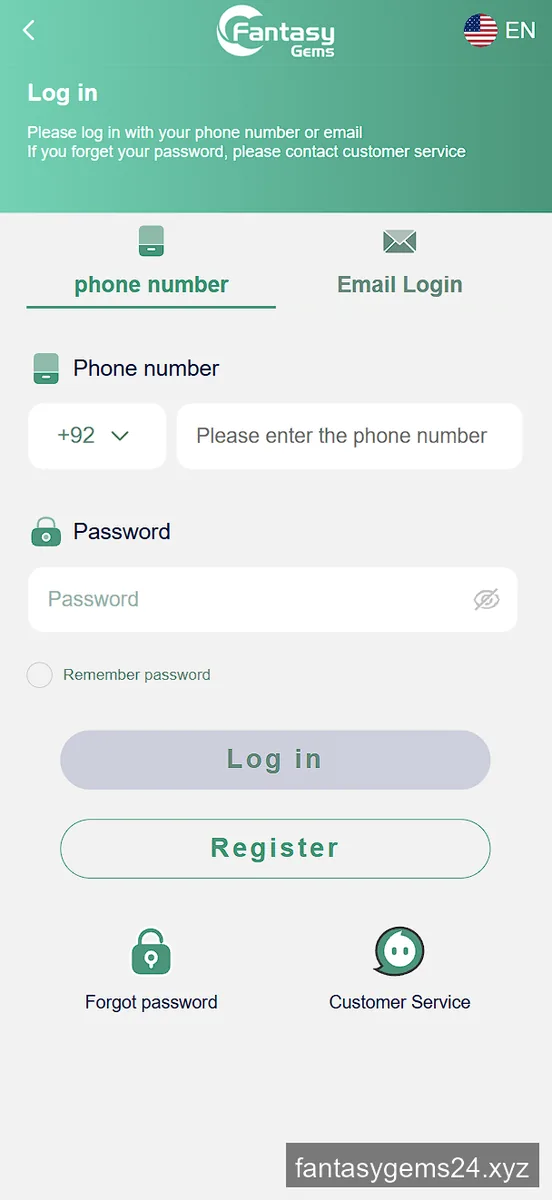
The login screen offers phone number and Email Login as separate tabs. Use whichever you registered with — an email address will not work on the phone tab even if both are on the account. The country selector is preset to +92. Tick Remember password if the device is yours alone.
When it will not let you in
Work through these before assuming the account is gone:
- Wrong tab. Email credentials on the phone tab fail silently-looking failures.
- Country code. The number goes in without the leading zero once +92 is selected.
- Old bookmark. The operator runs the same site across several domains to spread server load, so a saved link may point at a mirror that has rotated. Use a current link.
There is no automatic password reset. Forgot password opens customer service rather than sending a reset email. Keep the credentials somewhere safe, and if you do get locked out, contact support with your registered number and any deposit reference you still have — that is what identifies the account.
Login questions
I forgot my Fantasy Gems password. What now?
There is no automatic reset. The Forgot password link opens customer service, so you will need to contact them with your registered number or email.
Can I log in on more than one device?
Yes, the same account opens in any browser. Because it is a web app rather than an installed APK, clearing browser data does not delete the account — it lives on the server.